




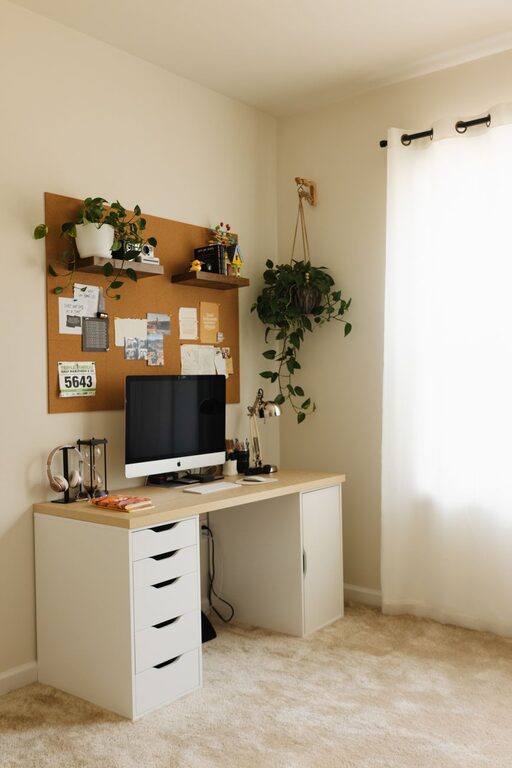
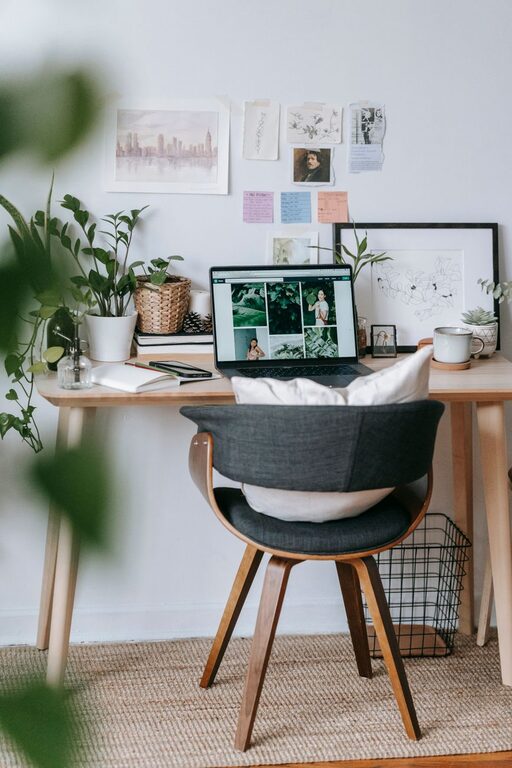
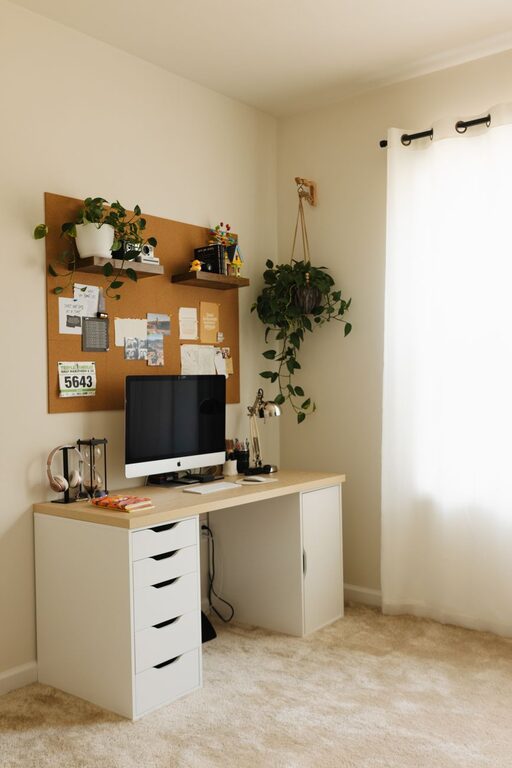
Tips for Creating a Cozy and Productive Home Workspace
Creating a home workspace that feels both cozy and productive is essential for anyone who spends significant time working from home. Whether you’re a remote employee, freelancer, or simply need a dedicated area for personal projects, designing a space that supports your focus while making you feel comfortable can greatly enhance your workday experience.
In this post, we’ll explore practical tips for building a home workspace that balances comfort and efficiency. From choosing the right location to organizing your supplies, let’s dive into how you can create a space that feels inviting and helps you get things done.
Choose the Right Location
First and foremost, pick a spot in your home where you can work with minimal distractions. Ideally, this area should have:
– Good natural light: Sunlight improves mood and energy. Near a window is perfect, but if that’s not possible, opt for bright, adjustable lighting.
– Quiet surroundings: Avoid high-traffic areas or noisy rooms. If space is limited, noise-canceling headphones can help.
– Adequate space: Ensure there’s enough room for your desk, chair, and any equipment you need.
If you don’t have a dedicated room, consider partitioning a corner of a room with shelves or room dividers to create a distinct workspace.
Invest in a Comfortable Chair and Desk
Comfort plays a huge role in how productive and focused you feel during work hours. An ergonomic chair that supports your posture reduces fatigue and the risk of discomfort. Look for chairs with adjustable height, lumbar support, and cushioned seating.
Similarly, your desk should be the right height and size to accommodate your computer, notebooks, and other essentials without feeling cluttered. Standing desks or adjustable desks are excellent options for those who like to switch between sitting and standing.
Organize with Purpose
A disorganized workspace can lead to distractions and wasted time. Here are some organizing tips:
– Use storage solutions: Shelves, drawers, and desk organizers help keep supplies tidy.
– Declutter regularly: Remove items you don’t often use to maintain a clean surface.
– Keep cables managed: Use cable clips or trays to minimize tangled cords.
– Allocate zones: Designate areas for specific tasks or items (e.g., a spot for writing tools, another for tech gadgets).
A neat workspace not only looks better but also makes finding what you need quick and easy.
Personalize Your Space
Adding personal touches can make your workspace feel welcoming and motivate you throughout the day. Consider:
– Plants: Indoor plants improve air quality and add a refreshing vibe.
– Artwork or photos: Visual elements that inspire or make you happy.
– Soft textiles: A cozy throw blanket or a cushioned floor mat can boost comfort.
– Scent: Using a subtle diffuser with essential oils can create a calming atmosphere.
Personalization helps transform your workspace into a place you enjoy spending time in.
Optimize Lighting
Lighting affects your ability to focus and prevents eye strain. Try to:
– Maximize natural light: Position your desk near windows but avoid glare on screens.
– Add layered lighting: Combine overhead lighting with task lamps or desk lights.
– Use adjustable lights: Dimmable lamps allow you to control brightness throughout the day.
Adequate lighting keeps you alert and comfortable, especially during early mornings or late evenings.
Set Boundaries and Establish a Routine
Creating a cozy workspace is only half the battle; maintaining productivity requires clear boundaries and habits. Some suggestions include:
– Set work hours: Stick to consistent start and end times.
– Limit distractions: Turn off non-essential notifications and set phone limits during work.
– Take breaks: Regular short breaks help maintain energy and focus.
– Signal work time: Use visual cues like closing a door or a “do not disturb” sign to remind others.
A well-defined routine reduces stress, helps separate work from personal life, and ensures your workspace remains a productive zone.
Keep Tech Comfortable and Efficient
Having the right technology setup enhances productivity:
– Use a comfortable keyboard and mouse: Ergonomic designs reduce strain.
– Set up multiple monitors: Great for multitasking if your work demands it.
– Ensure reliable internet: A strong connection avoids frustrating interruptions.
– Organize digital files: Just like your physical space, maintain an organized digital workspace.
Keeping your tech in good shape and configured to your preferences simplifies your workflow.
Incorporate Movement and Stretching
Sitting in one place for too long can affect your health and focus. Incorporate:
– Standing or walking breaks: Stand up every hour or take a short walk.
– Stretching exercises: Simple stretches relieve tension and improve circulation.
– Use accessories: Consider a balance board or desk pedal for light movement.
Moving regularly keeps your body engaged and mind refreshed.
—
By thoughtfully setting up your home workspace, you create an environment that supports both comfort and productivity. Remember, the key is balance: a space that feels inviting yet helps you focus. With these tips, you can transform any nook into a cozy productivity hub that inspires your best work every day.